Retrieving and Saving Customers in SL using Catalina’s API for Dynamics SL
Retrieving a Customer
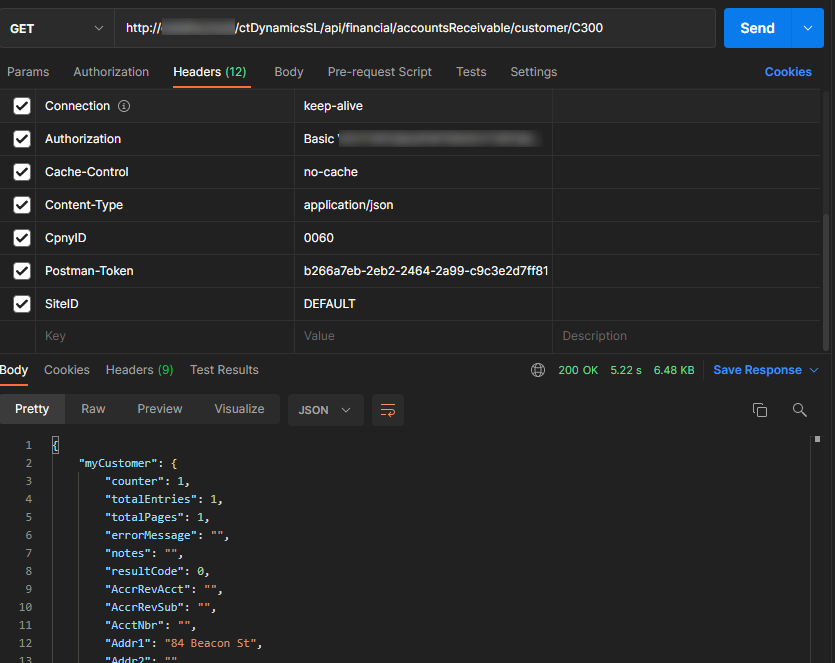
Retrieving a customer is quite simple. You would perform a GET from Catalina’s API (REST) using the following endpoint: /api/financial/accountsReceivable/customer/{CustID}
Example, if you wanted to retrieve customer C300, you would use this endpoint: /api/financial/accountsReceivable/customer/C300
A curl example would be as follows:
curl --location --request GET 'http://YOURSERVER/ctDynamicsSL/api/financial/accountsReceivable/customer/C300' \
--header 'Authorization: Basic YOURAUTH' \
--header 'Content-Type: application/json' \
--header 'CpnyID: YOURCPNYID' \
--header 'SiteID: YOURSITEID'
To do this retrieve in Postman, it would look similar to this:
Saving a New Customer
If you want to save a new customer, you would perform a POST to the following endpoint: /api/financial/accountsReceivable/customer (NOTE: you would NOT post a custID in the URL of the endpoint)
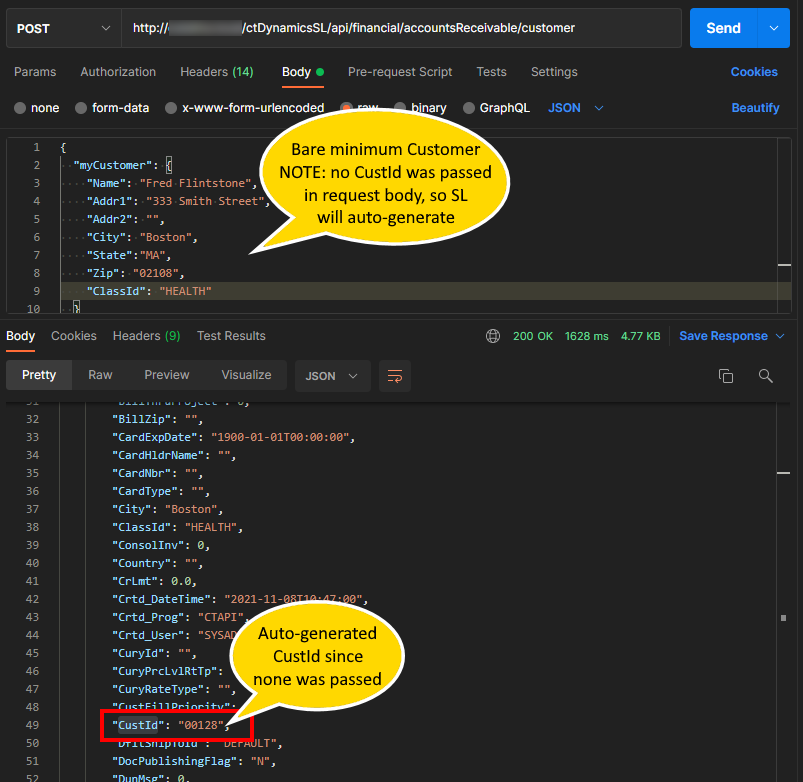
Below is a minimum curl POST that will create a customer. NOTE: if you do not pass a CustID in the request body, SL will automatically select a CustID for you. Also NOTE that if you try to do a POST and pass a CustID in the request body that already exists, the system will give you an error stating that you cant create a new customer with an existing CustID.
curl --location --request POST 'http://YOURSERVER/ctDynamicsSL/api/financial/accountsReceivable/customer' \
--header 'Authorization: Basic YOURAUTH' \
--header 'Content-Type: application/json' \
--header 'CpnyID: YOURCPNYID' \
--header 'SiteID: YOURSITEID' \
--data-raw '{
  "myCustomer": {
    "Name": "Fred Flintstone",
    "Addr1": "333 Smith Street",
    "Addr2": "",
    "City": "Boston",
    "State":"MA",
    "Zip": "02108",
    "ClassId": "HEALTH"
  }
}'
If the POST is successful, the API will pass back the newly saved customer. In the response body, you will see the field myCustomer.CustId. That will be the CustID saved (if you passed a valid CustID or if the system automatically set the CustID if you didn’t pass one in the request body)
It would like like this in Postman:
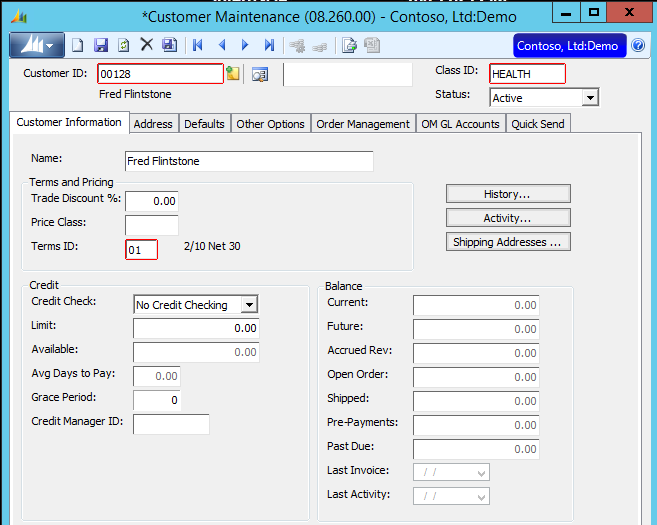
The customer can now be viewed in the SL Customer Maintenance (08.260.00) Screen.
Updating a Customer
If you want to change a customer, you would make a PATCH call to the following endpoint: /api/financial/accountsReceivable/customer/{CustID}
NOTE: you would replace {CustID}, in the URL, with the Customer ID you want to update. So, if you want to update customer 00128, the endpoint would look like this: /api/financial/accountsReceivable/customer/00128
Regarding the request body, you would only pass the fields you want changed. If you want to change the customer’s name, but you don’t want to change anything else, then only pass the Name field with the value you want to change. So, if I wanted to change customer 00128 to have the customer name of “Barny Rubble” instead of “Fred Flintstone,” I would do a call something like this:
curl --location --request PATCH 'http://YOURSERVER/ctDynamicsSL/api/financial/accountsReceivable/customer/00128' \
--header 'Authorization: Basic YOURAUTH' \
--header 'Content-Type: application/json' \
--header 'CpnyID: YOURCPNYID' \
--header 'SiteID: YOURSITEID' \
--data-raw '{
  "myCustomer": {
    "Name": "Barny Rubble"
  }
}'
If you did this in Postman, it would look similar to this (see how I used a PATCH and only passed the Name and nothing else):
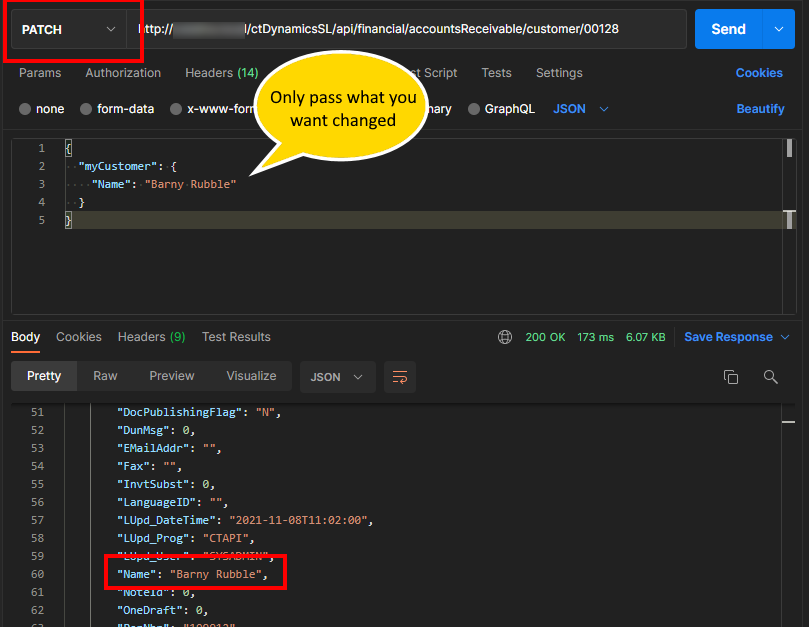
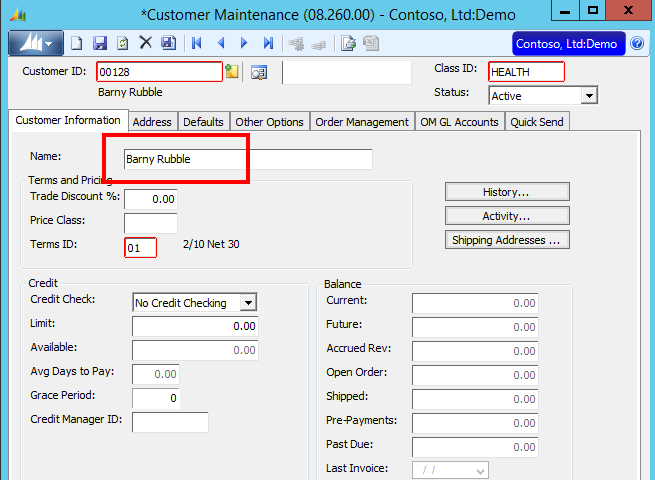
You can then refresh the customer in the SL Customer Maintenance Screen and see the change.